Record what a class uses
Who can do this: Teacher
Open Supplies in the sidebar to see your class's supplies. Enter what your class has used, not what is left. PinkTower works out the rest.
- If you teach more than one class, choose the Class at the top.
- Each line shows the supply and how many are left of how many were issued. A supply that is running low has a Low badge and is highlighted.
- In Used now, type how many your class has used since you last recorded it. Leave the others empty.
- Press Record usage.
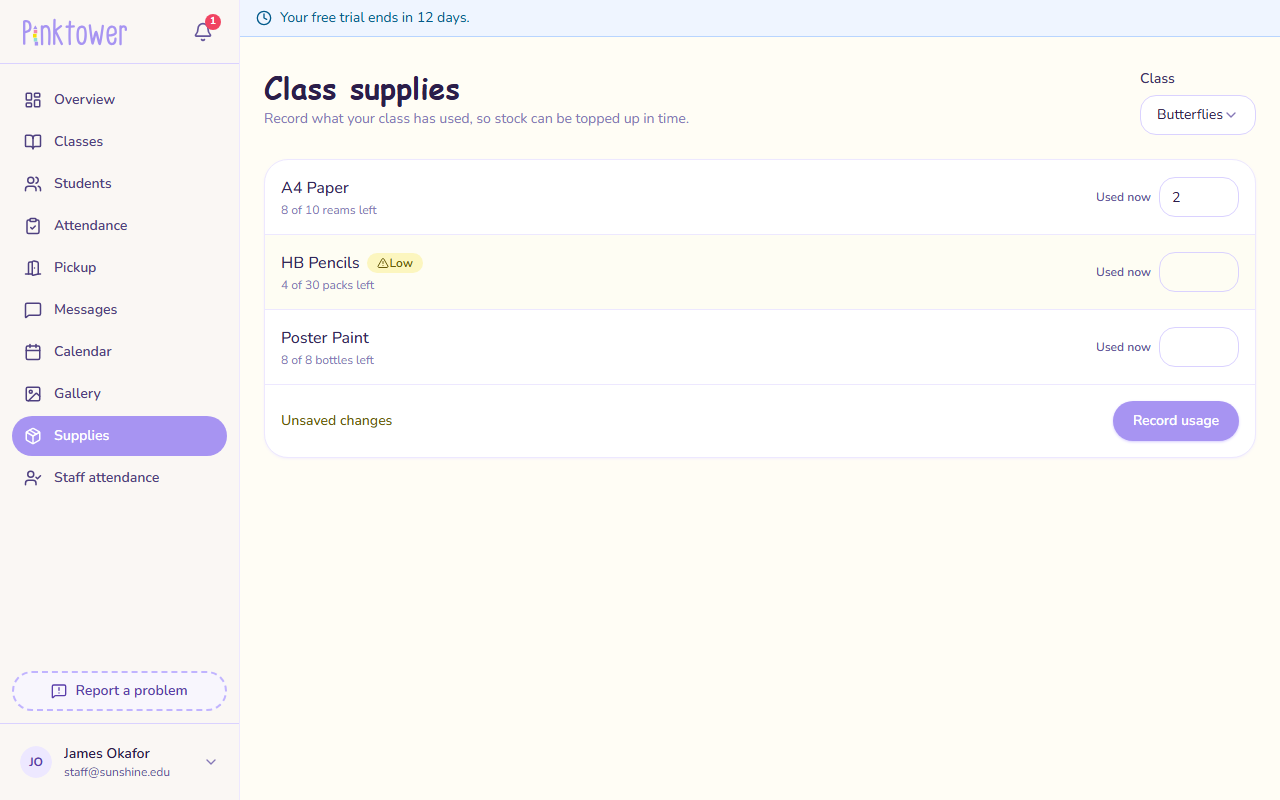
Unsaved changes shows while you have typed numbers but not yet pressed Record usage.
Each line is saved on its own
If you enter more than the class has left, only that line is refused, with a message such as "Only 4 left — enter that or less." Your number stays in the box so you can correct it. Everything else you entered is saved.
Pressing Record usage twice by accident does not take the supplies off twice.
The Stationery inventory card on your Overview page shows your classes and how many of their supplies are low. Press Manage to come here.
If your class has no supplies yet
The page says "No supplies tracked for this class yet". Only an administrator can issue supplies to a class, so ask your school office. See Catalogue and grade lists.
If the page says "No classes assigned", you are not a teacher of any class yet. Ask your school office to add you to your class.