Medical records
Who can do this: Nurse
Medical records is where the school nurse reads the medical documents families have provided, such as immunisation cards and allergy plans. It is a reading view: you find a child and open their documents.
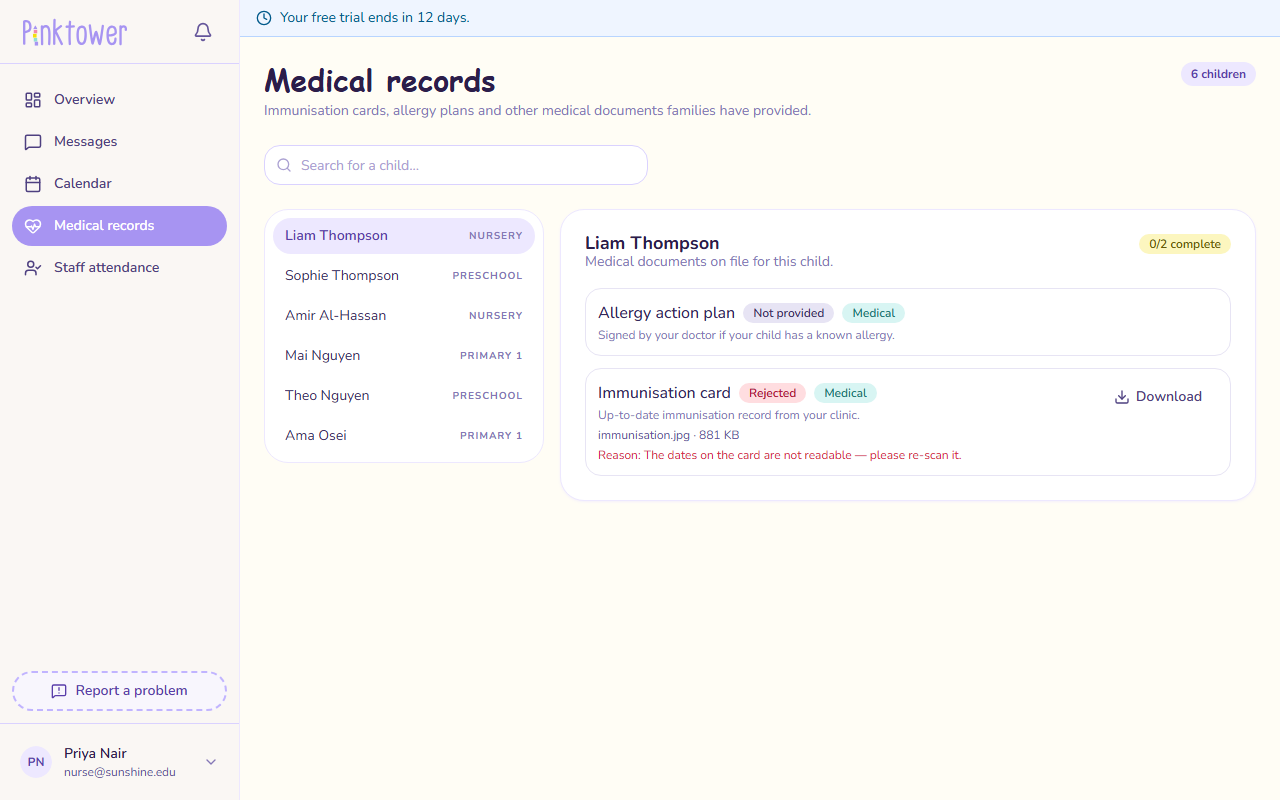
Open a child's medical documents
- Open Medical records in the sidebar (Medical on a phone's bottom bar).
- Type the child's name in Search for a child…, or scroll the list. Each child shows their grade.
- Choose the child. Their medical documents appear, each with its status: Not provided, Awaiting review, Approved or Rejected. A badge counts how many are approved, such as 1/2 complete.
- To read a document, press Download. The file saves to your device.
On a phone, the list and the documents show one at a time. Press All children to go back to the list.
What you can and cannot see
- You see only documents in the Medical category. Identity documents and other paperwork are never shown to you.
- You cannot upload, approve or reject documents. Parents upload them, and administrators review them.
If a document you need is missing from the list, ask an administrator. They decide which documents are medical. See Required documents.
Allergies are not on this page
Allergies recorded on a child's page are seen by the child's teachers, administrators and parents. See Health information and allergies. For anything a family has not uploaded, message the parents.
Administrators
Administrators see every document for a child, medical ones included, on the child's page: open Students, choose the child, and use the Documents card. See Check who is missing documents.