Invoices
Who can do this: Administrator
The Subscription page keeps every document between PinkTower and your school: invoices, credit notes and the Order Forms you have signed. Each one can be downloaded as a PDF.
Invoices
PinkTower issues an invoice for each payment a few days before it is due, and emails it to your school's billing contact. Every invoice comes from PinkTower Technologies Limited, with its details at the top and your school's name and address under Billed to.
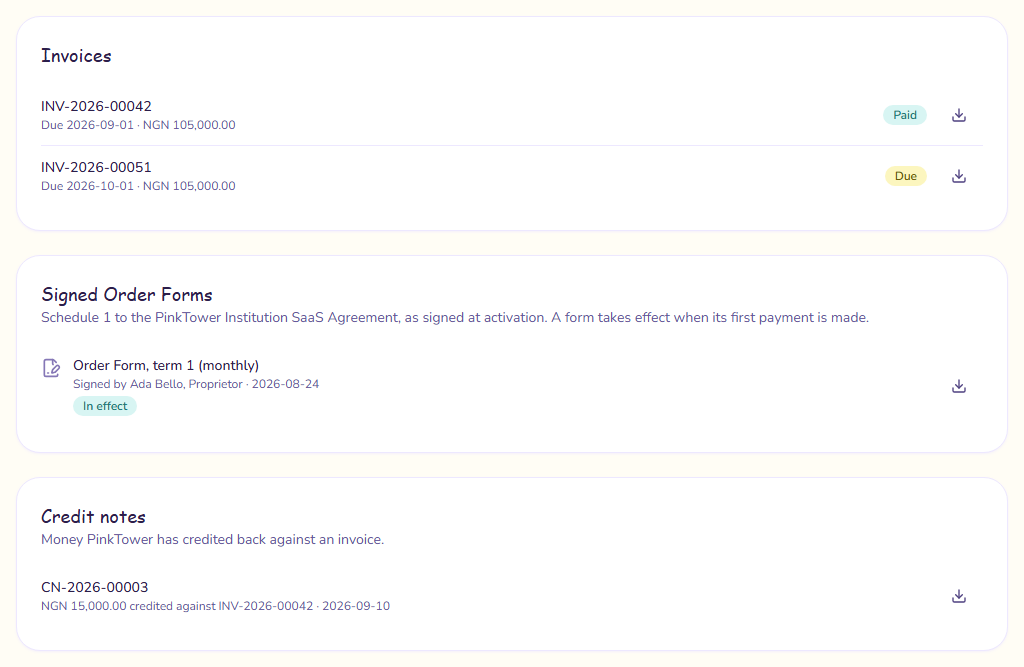
Under Invoices on the Subscription page, each invoice shows its number, due date and amount, any balance still outstanding, and a status:
| Status | What it means |
|---|---|
| Due | Issued and waiting to be paid. |
| Part paid | Some has been paid, and a balance remains. |
| Paid | Paid in full. |
| Voided | Cancelled by PinkTower. Nothing is owed on it. |
| Written off | PinkTower has decided not to collect it. |
To download an invoice, press the download button beside it. Once an invoice is paid, it is redrawn marked PAID.
Paying an invoice
With a card saved, PinkTower charges it on the due date. Without one, the invoice's How to pay section gives PinkTower's bank details. Pay by bank transfer and use the invoice number as the payment reference.
If your school grows into a larger size band and you paid for the whole year, you receive an extra invoice for the difference over the months left. It names both bands and the months remaining.
Credit notes
If PinkTower refunds or credits your school, it issues a credit note rather than changing the invoice. Credit notes appear under Credit notes once you have one, each with its number, the amount, the invoice it is credited against and the date. They are also emailed to your billing contact.
Signed Order Forms
Every Order Form you sign when you subscribe is kept, unchanged, under Signed Order Forms. Each one shows the term, whether you chose monthly or yearly, who signed it and when, and a status:
| Status | What it means |
|---|---|
| In effect | The Order Form that applies to your current subscription. |
| Awaiting payment | Signed, waiting for its first payment to go through. |
| Payment unsuccessful | The payment did not go through. Nothing was charged and the form is not in effect. |
| Not in effect | Signed, but never took effect, for example because you chose a different option. |
A form takes effect when its first payment is made. Press the download button to save a copy.
The agreement you signed when you registered is kept on My Account instead. See School settings.