Sign in
Who can do this: Administrator Teacher Nurse Bus crew Parent
Your email address is your username. It cannot be changed from inside PinkTower.
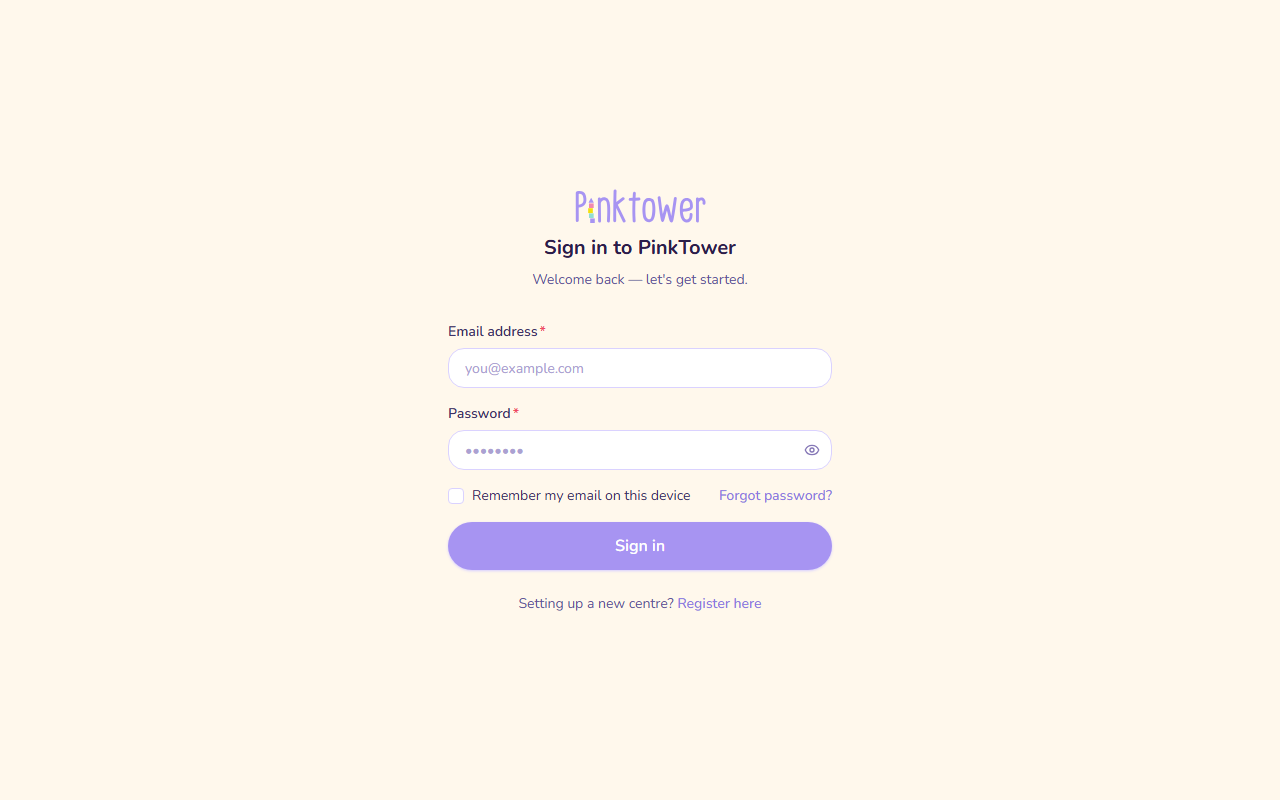
Sign in with your email and password
- Open PinkTower and go to the Sign in to PinkTower page.
- Enter your Email address and Password.
- To have your email filled in next time, tick Remember my email on this device. Only your email is remembered, never your password. Leave it unticked on a shared computer.
- Press Sign in.
What happens next depends on your account:
- One school: you go straight to your school's dashboard.
- More than one school: you see Choose a school. See Belong to more than one school.
- First sign-in: you are asked for your phone number and address. See Add your contact details.
- You followed a link from an email (for example, a document request): PinkTower takes you to that page once you are signed in.
If you use two-factor authentication
If you have turned on two-factor authentication (see Your account and security), signing in has a second step.
- Sign in with your email and password as usual.
- On the Enter your code page, open your authenticator app and find the 6-digit code for PinkTower.
- Type it into Authentication code and press Verify and sign in.
To go back and sign in as somebody else, press Use a different account.
Note
The code step lasts about three minutes. If you see "Your sign-in timed out. Please start again.", enter your password again and you will get a fresh code step.
Lost your phone or authenticator app? Ask your school administrator to reset two-factor authentication for your account. You then sign in with your password alone until you turn it on again. If you belong to more than one school, an administrator at any of them can do it. An administrator cannot reset their own: ask another administrator at your school.
If you cannot sign in
| Message | What to do |
|---|---|
| Incorrect email or password | Check the spelling of your email. If you are unsure of your password, use Forgot password? (see Forgotten password). |
| Account not confirmed — check your email for a verification code | You registered a school but did not finish confirming your email. See Register your school. |
| Your session has expired. Please sign in again. | You were signed out, for example after a long time away. Sign in again. |
If you land on an Access suspended page instead of your dashboard, see If your school's access is suspended.
Sign out
Open the account menu (your name at the bottom of the sidebar on a computer, or your picture at the top right on a phone) and choose Sign out.