Review your child's teachers
Who can do this: Parent
You can review the teachers of any class your child is in.
- Open Review teachers in the sidebar.
- If you have more than one child, press your child's name at the top.
- Each of that child's teachers has a card. Choose a rating from 1 to 5 stars.
- Write a few words in the box. What has gone well? What could be better?
- Press Send review.
You see "Thank you — that has been sent." when it has gone.
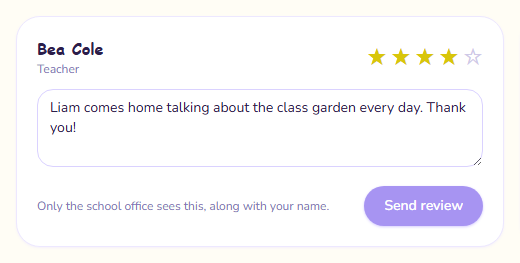
You need both a rating and a comment. A star rating on its own is hard for the school to act on.
Who sees your review
The school office sees your review, with your name next to it. The teacher does not: they cannot see reviews about them and are not told one has been written.
Change your review
You can write one review for each teacher. Once you have, the card says "You have already reviewed them — sending again replaces it."
- Change the stars or the comment.
- Press Update review.
Your new review replaces the old one.
If there is no one to review
- "…is not in a class yet": your child has not been put in a class. Teachers appear here once they have.
- "No teachers to review yet": no teacher is assigned to your child's class at the moment.
- "No children linked yet": the school has not linked you to your children. Ask the school office.
Once all of your children have left the school, you can no longer send or change reviews. See Alumni access.