If your school's access is suspended
Who can do this: Administrator Teacher Nurse Bus crew Parent
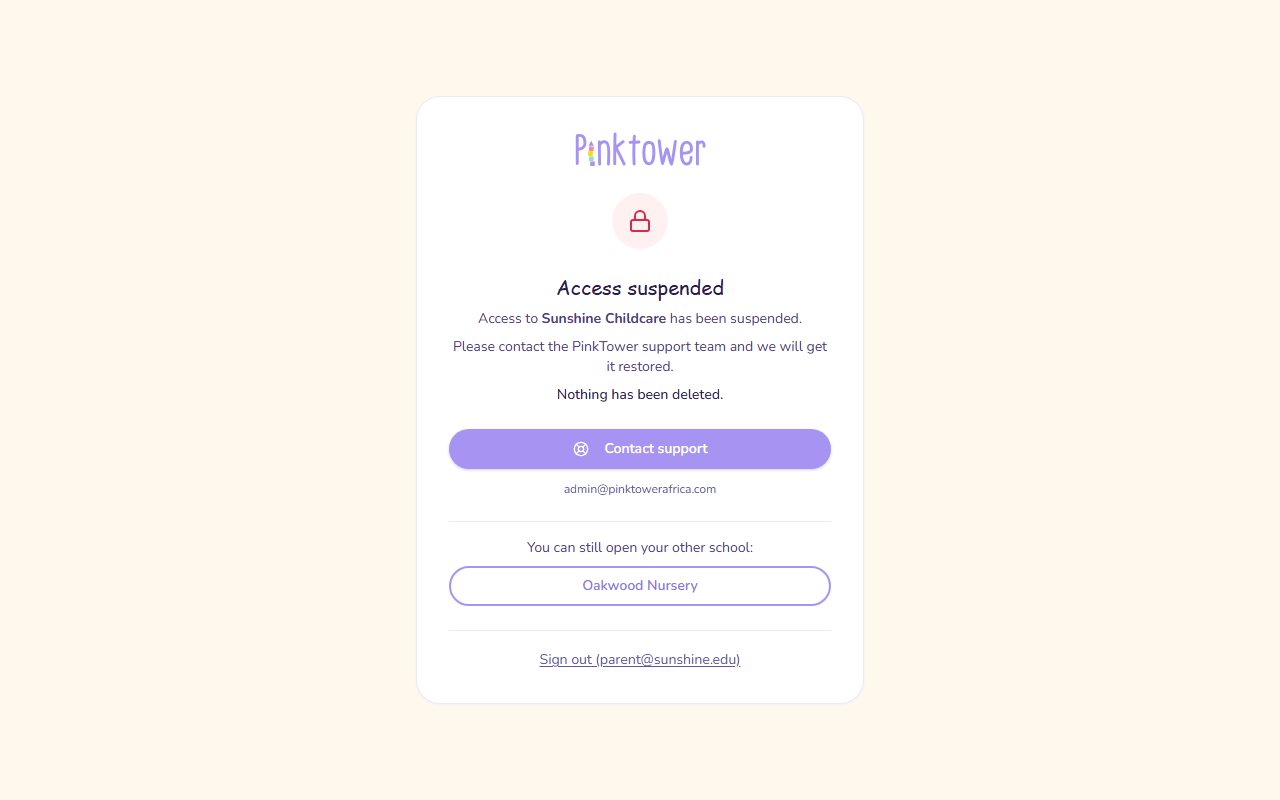
If PinkTower has suspended a school's access, anyone who signs in to that school sees an Access suspended page instead of the app.
What the page tells you
- Which school is suspended. The page names it: "Access to your school has been suspended."
- Nothing has been deleted. Every record is still there, and comes back as it was when access is restored.
- It is the school that is suspended, not you. If you belong to other PinkTower schools, the page lists them under "You can still open your other schools", with a button for each.
What to do
- Press Contact support on the page. It opens an email to the PinkTower support team, with your school's name in the subject. The support address is also shown under the button.
- Explain the situation and send the email. The team will help you get access restored.
If the suspension follows an unpaid PinkTower subscription, see Overdue and read-only.
Speak to your school's administrator. They can contact PinkTower to get access restored. To use another school you belong to, press its name on the page.
Speak to your school's administrator. They can contact PinkTower to get access restored. To use another school you belong to, press its name on the page.
Speak to your school's administrator. They can contact PinkTower to get access restored. To use another school you belong to, press its name on the page.
Contact your school: they are the ones who can get access restored. Until then you cannot open the school in PinkTower. To use another school you belong to, press its name on the page.
To leave the page, press Sign out at the bottom.
Suspended or read-only?
These are different:
- Read-only. A school whose PinkTower subscription is overdue first becomes read-only. You can still sign in and see everything, and parents can still pay fees, but marking attendance, recording pickups, adding students and sending messages are paused. A banner at the top of each page explains it. See Overdue and read-only.
- Suspended. Nobody at the school can open it until access is restored, and everyone sees the Access suspended page.
In both cases, nothing is deleted.